When CV’s come into your advert from a candidate application, the information on the CV is parsed. This means the relevant candidate information is automatically taken from the CV (name, email address, telephone number etc.) and placed in the relevant data fields in the candidate's file.
However, sometimes the fields do not auto-populate therefore this must be done manually. This is very rare but if you want to contact a candidate via a message or text then you may need to amend the email or telephone number to ensure they receive the messages.
1. In the 'Jobs' tab on the left menu, select the advert you wish to access and click on the job title to review all applications
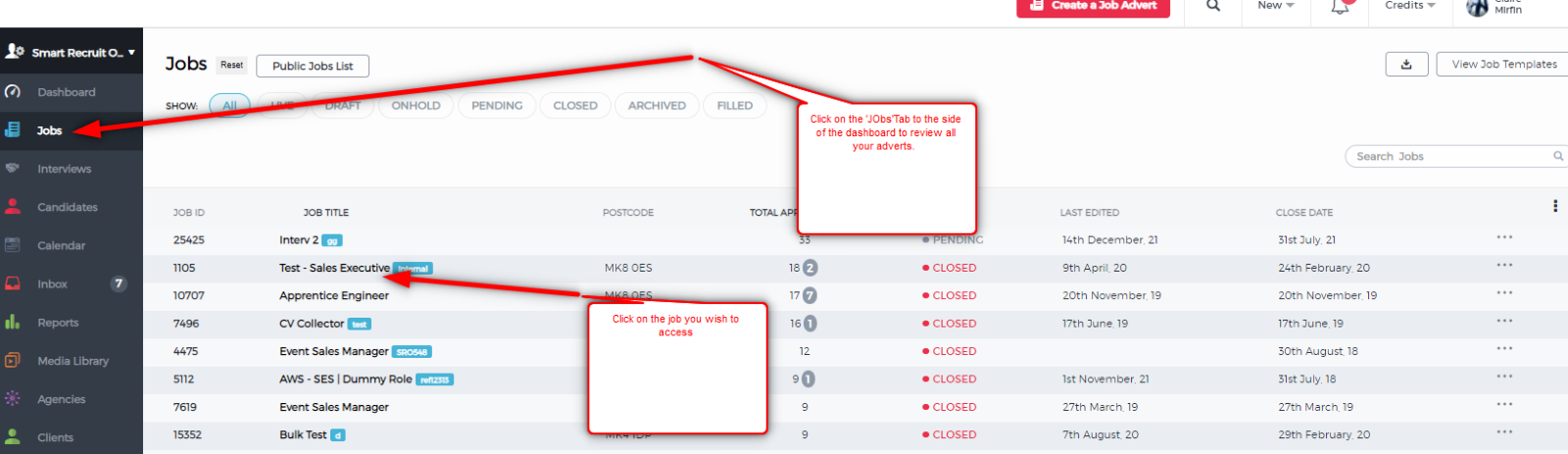
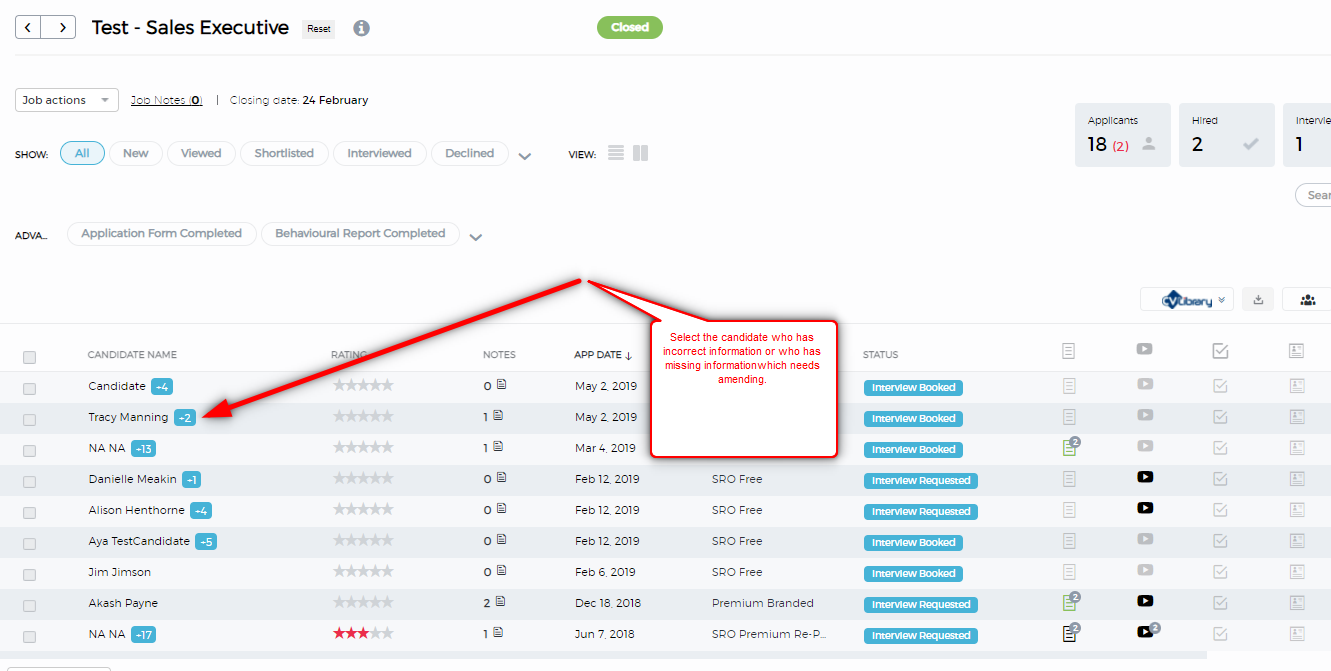
2. Select the candidate whose information you would like to amend and click on their name to open their profile, CV and details
3. Click on the pencil Icon to make amendments
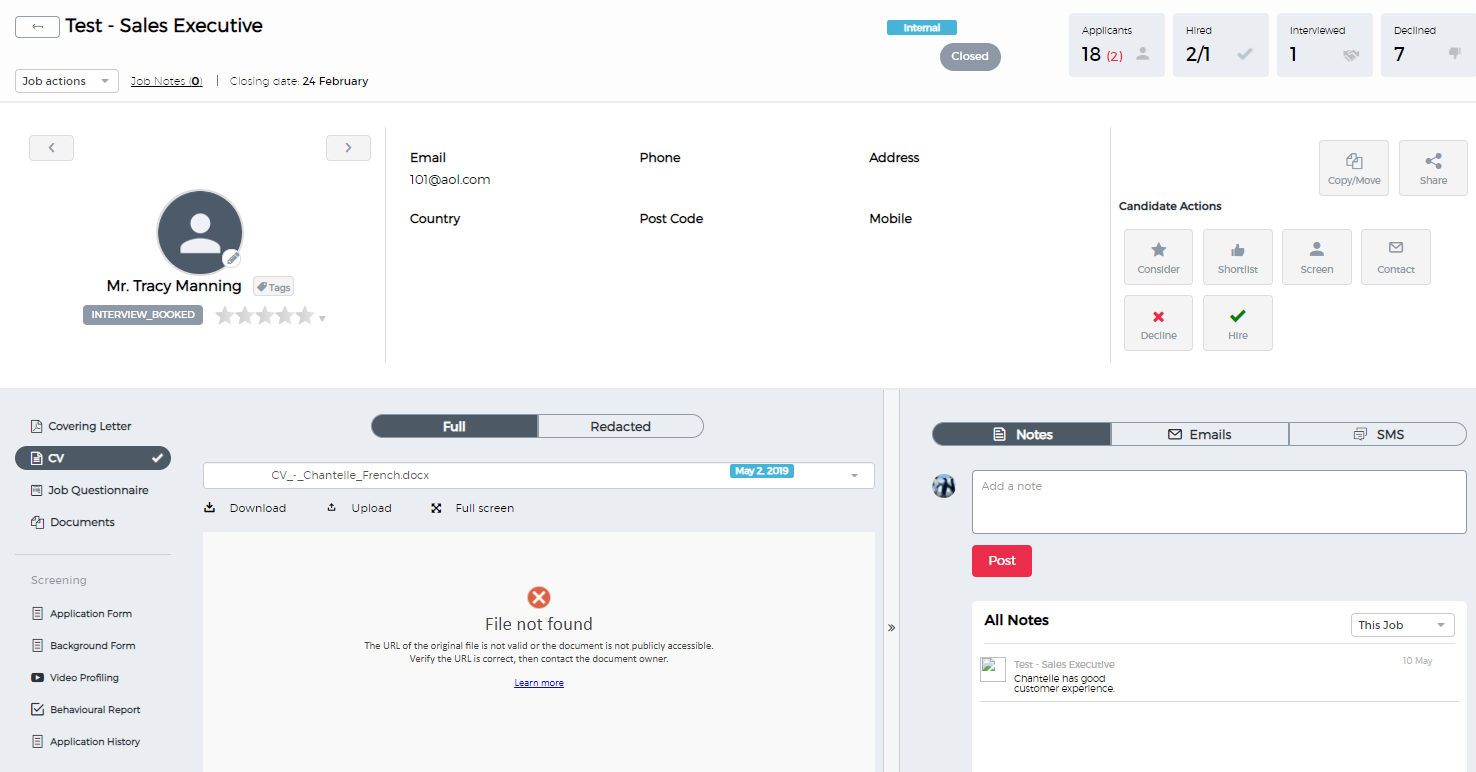
4. Copy and paste any details from the CV and add them into the candidate details
- Some of the data fields must be completed, these will show in red if not complete and you will not be able to save the changes you have made
5. Don't forget to click Save
The following video will also show you the above process: How to Edit Candidate Details.
Was this article helpful?
That’s Great!
Thank you for your feedback
Sorry! We couldn't be helpful
Thank you for your feedback
Feedback sent
We appreciate your effort and will try to fix the article